

White Projector Screen Paint Pro
From $349.00
White Projector Screen Paint Pro creates a bright, crisp projection surface that delivers consistent image quality across standard and well-lit spaces for professional viewing and presentations.
5-Year Guarantee
No Hotspots
Ready in 24 Hours
Commercial-Grade
- Delivers clear projection performance in both bright and dim environments.
- Works with projectors like Epson, BenQ, Sony, Panasonic, LG, and Optoma.
- Suitable for plaster, metal, concrete, drywall, timber, and composite surfaces.
- CREST certified and compliant with Singapore standards.
Express delivery in 2-3 working days

Secured Transaction

Easy Returns

Free Shipping above £80.00

Buy now, pay later with Stripe
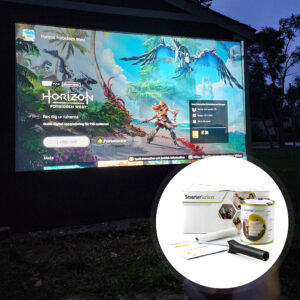
Why Choose White Projector Screen Paint Pro
Designed for professional spaces requiring dependable projection quality without bulky screens, frames, or complex mounting systems.

Crisp Projection
Delivers sharp, bright images with smooth light reflection for professional projection.

Flexible Lighting
Maintains clear viewing across changing ambient light conditions in flexible spaces.

Seamless Projection
Turns existing walls into projection areas without frames, stands, or mounting hardware.

Format Compatibility
Supports HD, 4K, 8K, interactive, and standard formats with accurate reproduction.

Certified Formula
Low-VOC, solvent-free, and isocyanate-free supports responsible commercial use.
Technical Specifications
Color
White (RAL 9003)
Product Finish
Matt
Odour
Very Low
VOC
44 g/L
Gain Value @ 90 °:
1.24
Viewing Angle
140 degrees
Minimum Recommended Lumen Value
1,500 Lumens
Projector Requirements
Interactive, HD, 4K, Standard Projectors
Lighting
Works in most rooms with low to high level ambient light
Coverage / Volume / Weight / Screen Size:
- 4.5m² / 965 ml / 1270 g / 120” / 320 cm at 16:9 Aspect Ratio
- 25m² / 5000 ml / 6580 g / 301" / 764.5 cm at 16:9 Aspect Ratio
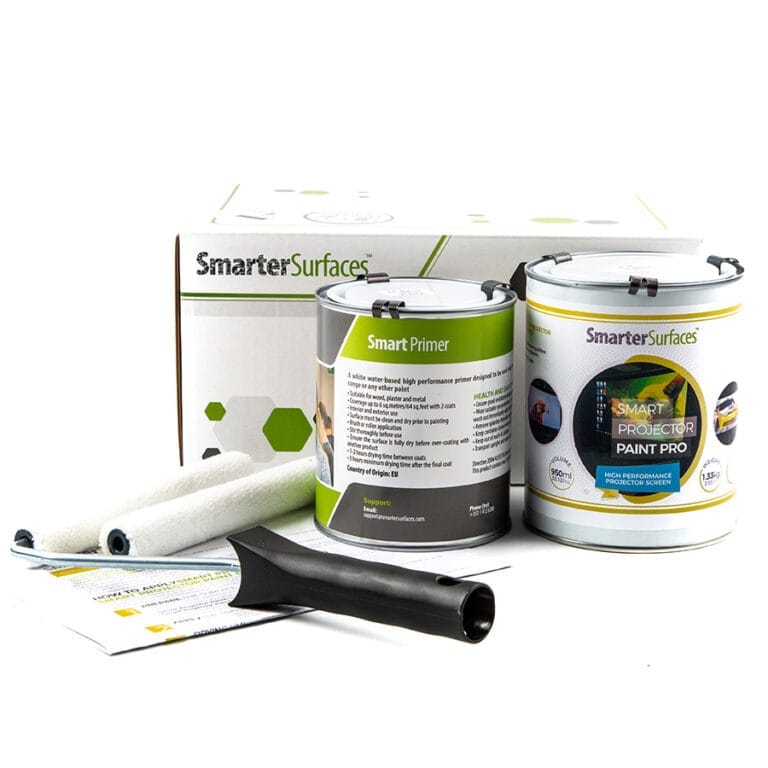
4.5 m²
- 1 x White Projector Screen Paint Pro
- 1 x primer white tin
- 2 x roller
- 1 x roller handle
- 1 x application guide
25 m²
- 1 x White Projector Screen Paint Pro
- 1 x application guide

Environmental
(exceeds all Singapore standards): low-VOC, solvent-free, PFOA & PFOS-free, and isocyanate-free
Certification
Independent Projection Performance Report – CREST, Gypsum Surface Finish Quality Standard

Orders placed before 7:30 pm (Monday-Friday) are processed the same day. Orders received after this time or over the weekend will be processed on the next working day. We use trusted third-party courier services for delivery, and all delivery times are estimates only.
Estimated Delivery (Working Days):
Singapore:
- Express: 3 working days
- Free Shipping: 4-5 working days
- See delivery times for other locations.
Use Cases

Offices
- Meeting rooms
- Huddle rooms
- Conference rooms
- Collaboration spaces

Education
- Classrooms
- Lecture halls
- Training centres
- Libraries

Home
- Home office
- Media rooms
- Study rooms
- Creative studios

Commercial
- Auditoriums
- Control rooms
- Exhibition centres
- Retail stores
Not sure if White Projector Screen Paint Pro is right for you?
Need help choosing the right projection surface?
Every space has different projection requirements. Speak with a Smarter Surfaces specialist for guidance on screen size, surface suitability, and the best projection solution for your setup.
How to Apply White Projector Screen Paint Pro
Create a smooth, high-quality projection surface by following the recommended preparation and application process.

Step 1 - Measure Area
Measure the complete projection surface to determine the required coverage and ensure the painted area is correctly sized.
Step 2 - Prepare Surface
Repair cracks, holes, and other imperfections, then sand the surface until smooth. Remove all dust and debris before proceeding.

Step 3 - Apply the Primer
Apply two coats of White Primer, allowing each coat to dry completely. Lightly sand the surface between coats for an even finish.

Step 4 - Apply the Projector Paint
Thoroughly mix the paint before application. Apply two uniform coats with a lint-free roller, such as a mohair roller. Allow approximately 2 to 4 hours of drying time at 20°C between coats.
Step 5 - Allow to Cure
Leave the completed projection surface for 24 hours before using a projector. This allows the finish to dry and cure properly for optimal performance.
Watch Our Step-by-Step Video Application Guide
Suitable Surfaces
Transform any smooth surfaces into collaborative spaces
Walls & Wallboards
Concrete & Plaster
Wood & Composites
Metal Surfaces
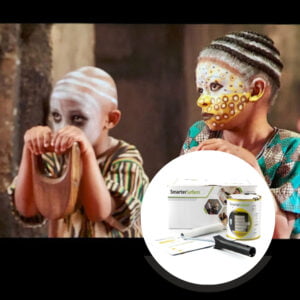
See the Transformation
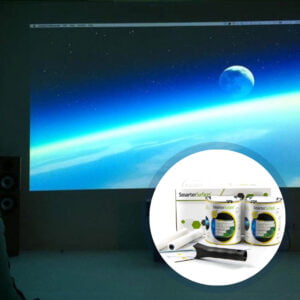
See how White Projector Screen Paint Pro transforms a standard wall into a high-quality projection surface.


Customer Testimonials
Read how educators, businesses, and professional spaces have created seamless projection areas that support presentations, training, and visual communication.
Explore More Products From Smarter Surfaces

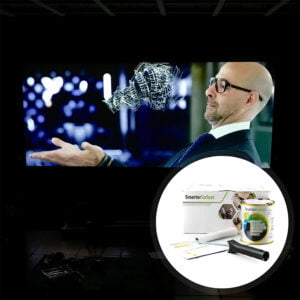
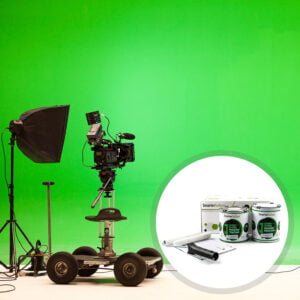
Case Studies
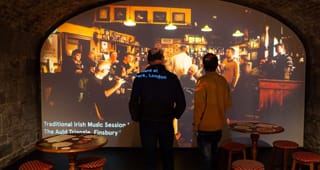
Explore real-world projects where organisations have enhanced meeting rooms, classrooms, and commercial environments with Smarter Surface solutions.

FAQ's
General Product Questions
How is Projector Screen Paint Pro ‘Polarity Preserving’?
3D projectors work by projecting two slightly different images which overlap on the screen. These images are passed through special optical filters, which results in the light being polarised in a different way for each of the projections. When you view the two images through special 3D glasses, each lens blocks one of the images, meaning that your left eye sees one image and your right eye sees the other image.
It's therefore really important that the projection screen you use does not change the polarity of the light if you are using a 3D projector. All of the paint products are "polarity preserving", which means that the image you see will be the same polarity as is intended, preserving the full 3D effect.
What is the best projector paint to use to create my projector screen wall?
Choose White Projector Screen Paint Pro for high-performance projection in office or learning environments with natural light. Our projection range also covers black and grey high-contrast paints for darker rooms and home cinema use.
What is the gain value?
Gain measures how effectively a screen reflects projected light. A higher gain produces a brighter image but typically has a narrower viewing angle, while a lower gain provides a wider viewing angle with less brightness. The ideal gain depends on factors such as ambient light, screen size, projector brightness, and seating arrangement.
Why is gain important for projector screens?
Gain affects the brightness of the projected image and the quality of viewing angles. It determines how well the screen reflects light and impacts the clarity and width of the viewing angle.
Does a higher gain always mean a better image?
No, a higher gain projector screen doesn't automatically guarantee a better image quality. While it can provide a brighter image from certain angles, it may result in diminished brightness from other perspectives. Higher gain screens typically have a smaller viewing angle.
How do I determine the ideal gain for my projector screen?
The standard gain for a projector screen is 1.0, which ensures equal brightness from all sides and visibility from multiple angles. However, the ideal gain depends on the viewer's preferences and the specific environment. Consider the pros and cons of high and low gain screens to determine the best fit for your needs.
What are the pros and cons of White Projector Screen Paint Pro as a high-gain screen?
High-gain screens can improve image brightness and visibility in rooms with challenging lighting conditions, making projected content easier to see. However, they typically have a narrower viewing angle, meaning brightness and image quality may decrease for viewers sitting off-centre. They are therefore better suited to smaller audiences positioned directly in front of the screen and may be less suitable for large or outdoor viewing areas. White Projector Screen Paint Pro provides a flexible projection surface for a range of viewing environments without the installation limitations of a traditional high-gain screen.
What are the pros and cons of White Projector Screen Paint Pro as a low-gain screen?
White Projector Screen Paint Pro with a low-gain screen provides a wider viewing angle and distributes projected light more evenly, making it suitable for larger audiences in indoor environments. However, the lower gain can reduce overall image brightness and may not deliver sufficient brightness or contrast in outdoor settings or rooms with higher ambient light.
What is the best colour to paint walls for projection?
This depends on several factors such as projection equipment, ambient light, and what type of use, such as video conferencing or movies, for example. Smarter Surfaces Projector Screen Paint Pro is designed for use in normal to high ambient light, and white (RAL 9003) is the best option unless you have specific projector surface requirements and powerful projection equipment.
Application & Usage
How to use Projector Screen Paint Pro?
Once applied to your wall, Projector Paints are ready for use as a projection surface. Simply set up your projector as needed and aim towards the painted wall. Projector Screen Paints can be used with most projectors, including interactive projectors. Projector Screen Paint Pro is not suitable for outdoor projections. It can also be applied to fabrics and is suitable for painting or refurbishing old screens, but not suitable for roll-up screens.
What is the recommended lighting to use along with Projector Screen Paint Pro?
The recommended lighting to use alongside White Projector Paint Pro is normal to high ambient light; it will of course also work very well in low ambient light.
Does the White Projector Screen Paint Pro work with blended projections?
Projection screen paint enables seamless blending of multiple projections for art installations, theatres, and large-scale presentations. Its formulation supports accurate colour, uniform brightness, and light diffusion for cohesive, immersive visuals. It also provides a flexible, cost-effective alternative to large physical screens, allowing multiple projections to blend smoothly on a single surface.
Does the White Projector Screen Paint Pro work well with both 2D and 3D Projectors?
The entire range of paints is compatible with both 2D and 3D projectors, ensuring optimal performance regardless of the projection mode. When projecting a 3D image onto paint, it seamlessly delivers the intended effect, creating an immersive viewing experience when paired with 3D glasses.
Can Projector Screen Paint Pro be applied around people?
Yes, it is completely safe to apply dry erase paint around adults and children, as it is certified as a low-VOC and low-odour product. Projector Screen Paint Pro does not contain any isocyanates, which means it is extremely safe to use around people.
What do I do if I spill the White projector screen paint pro?
Clean up spills and tools with water.
Cleaning & Maintenance
How do I clean a Projector Screen Paint Pro surface?
The surface can be wiped clean with a regular dry or slightly damp cloth.
How do I remove the White projector screen paint pro from skin?
In case of contact with skin, rinse skin with warm soapy water.
Functionality & Performance
Why Projection Screen Paints Are Acoustically Transparent?
The Sound Absorption Coefficient (SAC) measures how much sound energy a material absorbs. Testing on 12mm gypsum board showed the following results:
Unpainted Board: α = 0.04–0.07
Painted Board: α = 0.04–0.07
The identical values indicate that the paint does not affect the board's sound absorption properties, confirming that the paints are acoustically transparent.
How much light does Projector Screen Paint Pro reflect at an angle of 90 degrees?
Projector Screen Paint Pro reflects 7.8mW.
What is the gain value of Projection Paint Pro?
Projector Screen Paint Pro has a gain value of 1.24 at a viewing angle of 90 degrees. It is the best-performing projection product.
Safety & Environmental
Is Projector Screen Paint Pro safe?
Yes, Projector Screen Paint Pro is completely safe to use. Projector Screen Paint Pro is low-VOC, solvent-free, PFOA & PFOS free, and isocyanates free.
Projector Screen Paint Pro meets the highest environmental standards. Use the gloves supplied in the kit while applying. As with any paint product, we recommend wearing gloves during application.
Is Projection Paint Pro isocyanate free?
Projector Screen Paint Pro is 100% free of Isocyanates. Unlike some poorer quality products on the market, we do not use isocyanates in any of the products, which are hazardous products and should only be used by trained professionals using rigorous safety procedures.
What personal protective equipment should I use when applying Projection Paint Pro?
Use the gloves supplied in the kit while applying White projector screen paint pro. In addition, safety glasses should be worn. As with any painting process, ensure the room is ventilated.
Is Projector Screen Paint Pro flammable?
Projector Screen Paint Pro t is not flammable and is certified for fire performance, making it suitable for use in schools and offices. Projector Screen Paint Pro has a very high flashpoint above 158 degrees Fahrenheit.
Featured Blogs
Explore expert guidance, practical advice, and useful ideas for planning, installing, and making the most of functional surface solutions in a range of spaces.